Free Discord Chat Screenshot Generator
Create authentic Discord chat screenshots, mobile DM messages, and server conversation mockups with custom roles, embeds, and attachments.
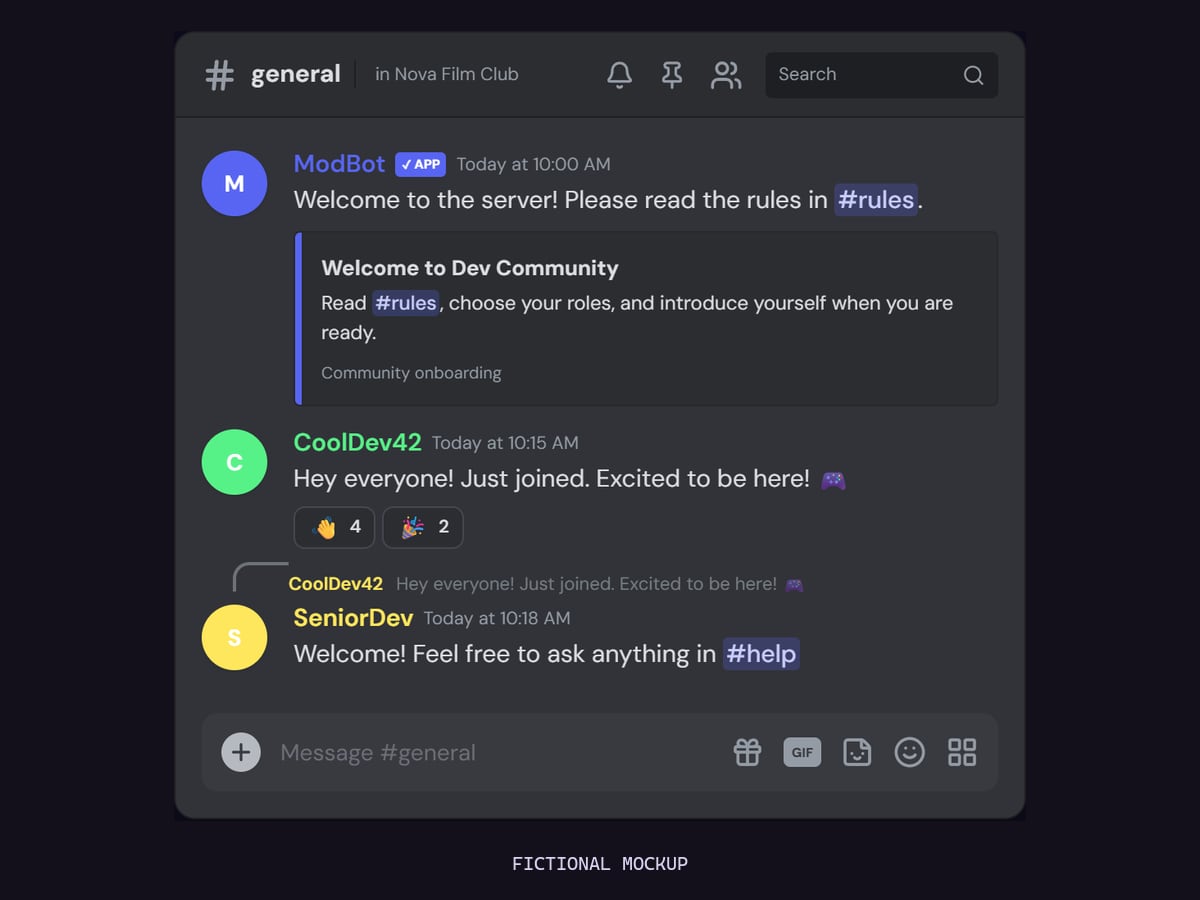
Welcome to the adventure! Our discord mockup suite lets you design realistic dialogues, roleplay conversations, and bot embeds with custom avatars and roles.
*High-fidelity preview rendered using native Discord Dark Theme styles.
Professional Discord Mockups Made Simple
Ideal for video essays, gaming communities, roleplay campaigns, and UI prototypes.
Desktop & Mobile Views
Switch seamlessly between desktop server channels, mobile DM conversations, and user profile popouts.
Custom Roles & Badges
Assign custom role colors, verified bot badges, server boosters, and badges directly to any message author.
Interactive Message Extras
Add image attachments, rich embeds, custom reactions with counts, system messages, and Nitro gifts.
Instant High-Res Export
Download crystal-clear PNG screenshots with authentic Discord dark theme contrast and typography.
How To Create Realistic Discord Screenshots Online
Discord has become the standard communication hub for millions of gamers, creators, roleplayers, and tech teams. Whether you are illustrating a fictional story, creating memes for social media, developing a video game dialogue sequence, or building design mockups for a community presentation, creating realistic Discord screenshots is a vital capability.
Many online fake Discord chat generators produce screenshots that look obviously fabricated because of wrong font line heights, incorrect timestamp styling, or improper spacing between messages from the same user. On larp.church, our Discord chat screenshot generator carefully adheres to Discord's official design system tokens, ensuring exact color hexes, authentic badge geometries, and realistic dark mode backgrounds.
Configuring Your Custom Discord Chat
- Choose Conversation Layout: Select between desktop channel view, mobile server conversation, or direct message (DM) mode.
- Add Participants: Upload custom profile photos, define usernames, set custom role colors (such as Admin, Mod, or VIP), and toggle the official BOT tag if desired.
- Write Messages: Add multiple back-and-forth messages with exact timestamps, mentions (@username), and emoji reactions.
- Add Rich Elements: Enhance the scene with uploaded image attachments, video player thumbnails, or custom bot embed blocks.
- Export High-Resolution PNG: Download your finished mockup in crystal-clear PNG format at 2x resolution.
No installation is required. Everything runs locally in your browser with private rendering and zero watermarks.
Discord Nitro gift mockups
The Nitro templates are in Proofs. Choose Nitro Gift DM for a still scene or Nitro Gift DM (V2) for an animated version. Discord verification applies to the Proofs workspace. These fictional layouts have no redeemable gift or subscription.
Compare the Nitro, Boost, and Inventory templatesFrequently Asked Questions
What tool can I use to make a fake Discord chat screenshot?
You can use the larp.church Discord Chat Screenshot Generator. It provides pixel-perfect desktop and mobile conversation views with customizable usernames, role colors, custom bot tags, timestamps, reactions, and file attachments.
Can I create both mobile and desktop Discord screenshots?
Yes. larp.church supports desktop channel messages, mobile server chat views, and direct message (DM) conversation layouts with authentic native spacing and header bars.
Can I customize user avatars, roles, and bot verification tags?
Yes. You can upload custom avatars, set custom name colors, add official bot verification badges, configure server roles, and write realistic bot rich embeds.
Is the Discord screenshot generator free to use?
Yes. The Discord message and chat mockup studio is free to edit and export as PNG, with no account required.
Are Discord chat mockups watermark-free?
All mockups export in clean, high-resolution PNG format without distracting watermarks, making them ideal for creative writing, ARG games, roleplay, and interface demos.
Can I mock up Discord bot embeds and rich messages?
Yes. Bot messages support rich embeds with a title, description, coloured side bar, fields, footer, and embed image, alongside the BOT tag. This is the usual way to storyboard a bot's responses before writing the command that produces them.
Can I show role colours and server-specific name styling?
Yes. Each participant carries their own display name, avatar, and role colour, so a mocked conversation reflects a real server hierarchy instead of rendering every author in the same default grey.
Does it reproduce Discord's dark and light themes accurately?
Both themes are rebuilt from Discord's actual surface colours, spacing, and typography rather than approximated. Dark theme is the default because that is what the large majority of Discord users actually see.
What is the difference between the mobile and desktop layouts?
Desktop renders the wide channel view with grouped messages and a left gutter for avatars. Mobile renders true phone proportions with compact spacing, a different header, and DM or server views, so a screenshot reads as though it came from the phone app rather than a shrunken browser window.
Is it legal to make a fake Discord screenshot?
Creating clearly fictional mockups for roleplay, parody, storytelling, ARGs, and interface design is a normal creative use. What is not acceptable is passing a generated image off as real: using it to impersonate a person, to fabricate evidence, or to deceive someone. Keep the fictional context clear whenever you share one.
Create your Discord chat screenshot now
Start building custom Discord message threads and server mockups in seconds with larp.church.