Surface-aware lettering
Prepared placements follow the angle, size, and usable writing area of each sign or photographed surface.
Create a custom fan sign online by placing a name or short message into a prepared photo scene. Each style accounts for the writing surface, perspective, lighting, ink softness, and original image quality so the result feels integrated rather than pasted on.
No account needed for Social Mockups. Fansigns require Discord verification and the community role shown in the studio.
For fictional creative work, parody, and roleplay. Do not present generated material as authentic evidence or a real endorsement.
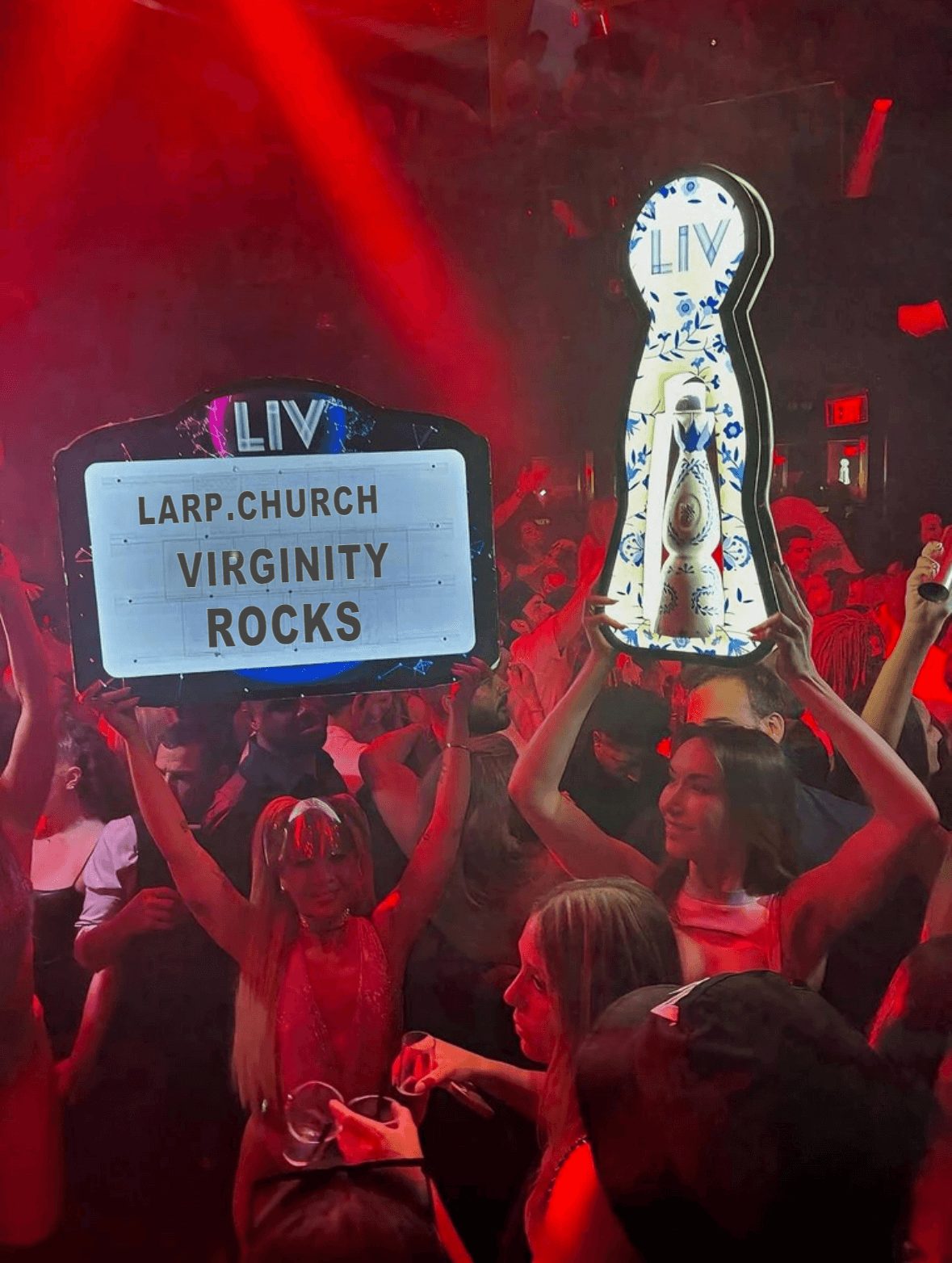
Nightclub display
Scene-matched custom text preview
A believable fansign depends on how the lettering belongs to the original scene. This online fan sign maker uses prepared layouts so the result respects the photographed surface rather than floating above it.
Prepared placements follow the angle, size, and usable writing area of each sign or photographed surface.
Ink color, softness, contrast, and image texture are tuned to feel consistent with the source photograph.
Every style uses its own layout rather than forcing one generic text overlay onto unrelated images.
The public page explains the tool; the editor itself stays inside the verified workspace so generator access and community roles remain protected.
Pick the paper, sign, notebook, billboard, or scene that fits your roleplay concept.
Add the name or short message you want to appear on the fansign and review the live preview.
Create the image, check the placement and realism, then download the result you want to keep.
A fansign generator places custom text into a prepared photo template so it appears written on a sign, note, card, or display inside the scene. larp.church is designed for fictional LARP, roleplay, parody, and creative mockup projects.
Yes. People search for both fansign and fan sign. In this studio, both mean an online tool that turns a name or short message into a custom sign inside a prepared photo scene.
Each prepared style controls the text position, scale, rotation, perspective, color, softness, and local image treatment. This helps the lettering follow the photographed surface instead of looking like flat text pasted over an image.
Yes. The role-gated studio contains more than 20 prepared photo styles, including paper notes, illuminated signs, billboards, notebooks, and other scene-specific layouts.
The currently available generators do not require a purchase. Access is verified through Discord and individual tools may require the configured community role.
Three things give a flat overlay away: lettering that ignores the surface angle, ink that is too uniform, and lighting that does not match the photo. Pick a prepared style shot at a similar angle to the message length you want, keep the text short enough that it does not crowd the writing area, and let the style handle perspective and ink diffusion rather than stretching text yourself.
Short lines read as most believable. Each prepared style declares its own character limit based on how much writing space the photographed surface actually has, and the editor enforces it as you type. A name or a few words usually looks more convincing than a full sentence squeezed onto a small card.
Every generator exports a PNG rendered at 2x pixel density, so the image stays sharp when it is viewed full size or on a high-DPI phone screen. Rendering happens in your session and the finished file downloads straight to your device.
Yes. The studio is browser-based with mobile layouts, so you can pick a style, type your text, preview the result, and download the PNG from a phone without installing anything.
These are fictional props for LARP, roleplay, parody, fan projects, and design mockups. Do not use generated images to impersonate a real person, to claim a real endorsement, or to deceive anyone into believing a fictional scene actually happened. Content that misrepresents a real individual or organisation is outside acceptable use.
Verify through Discord, choose one of the prepared styles, and open the fansign workspace when your community role is available.